There is a feature in most License Pro grids called Clear Changes that you can use to quickly clear any unsaved selections. If you are trying out a new area of the system and playing with selecting options and you'd like to go back and start again, as long as you haven't hit save, you can use Clear Changes to quickly go back.
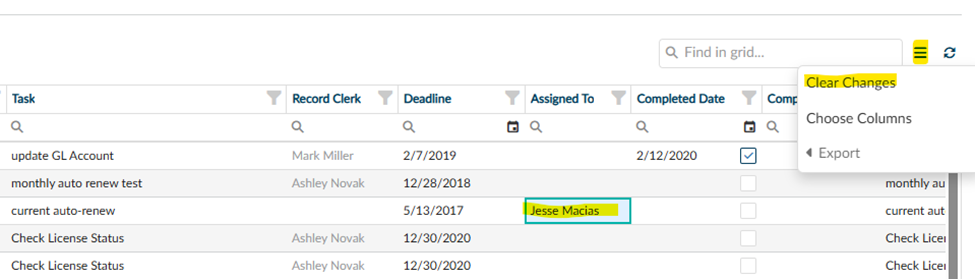
For example, say you are assigning tasks on your Tasks page, and you accidentally select the incorrect person. Here is how you can clear any unsaved selections:
- Select the Grid Menu at the top right corner of the grid.
- From that menu select the Clear Changes option.
- Any unsaved changes will clear out, and you can start over.
------------------------------
Ashley Novak
972-677-4351
------------------------------